AUF DEM MOND.
Plug in anything.
The AI writes the driver.Taught by AI. Runs without it.
Printercow is a Wi-Fi dongle that connects a USB receipt printer, label printer or other USB device to Claude and any MCP client. The AI works out the commands, you approve them, and print becomes an MCP tool and a REST endpoint. The next printer with the same USB ID needs no AI.
Public beta. Receipt and label printers print on real hardware through Rev C dongles, from ChatGPT, Claude and REST. Status · Guides
AUF DEM MOND.
The AI sets it up. Your code takes over.
Printercow gives your AI the raw USB connection to the device. What works is saved as a recipe of named actions, and the AI is no longer needed to run them.
- 01
Explore
The AI reads the device's USB descriptors and the guide for its device class, if there is one, then sends test commands and reads the replies. When it needs eyes on the device, it asks you a yes/no question on the dashboard.
- 02
Approve
When something works, it proposes a recipe: named actions such as print, each with typed parameters and a check that confirms it worked. Nothing becomes an action until you approve it.
- 03
Call
Each approved action is an MCP tool and a REST endpoint. Every dongle in your workspace with a device of the same USB ID can run it, with no AI in the loop.
A REST API for your ESC/POS printer.
An approved action takes its parameters as JSON and returns each USB step and the check result: passed, failed or unverifiable. Read check.outcome, not only the HTTP status.
The API reference lists every call, with print jobs that wait their turn.
1 POST /api/v1/devices/{dongleId}/actions/print 2 Authorization: Bearer pc_live_… 3 4 { "text": "Hello world" } 5 6 200 OK 7 { 8 "ok": true, 9 "error": null, 10 "results": [{ "op": "open", "ok": true }, …], 11 "check": { 12 "outcome": "passed", 13 "message": "DLE EOT 1 says the printer is online: status 0x12." 14 } 15 }
Connect a USB receipt printer to Claude in three steps.
No driver, no app to install, no computer next to the device. The dongle is the computer, with its own Wi-Fi.
- 01
Plug it in
Slide on the tip that fits your device and power the dongle from a 2 A USB-C phone charger.
- 02
Pair it
Open the setup page in Chrome or Edge on Android, Windows or Mac. It pairs over Bluetooth and puts the dongle on your 2.4 GHz Wi-Fi.
- 03
Ask your AI
Add Printercow to Claude, Cursor or any remote MCP client, sign in once, and say what the device should do.
1 × CAESAR SALAD
3 × LEMONADE
[ ] 2 × BLACK PEN
[ ] 1 × GIFT CARD
What I print with it.
I'm Sebastian Klein, and I build Printercow. These guides show what I do with my own printers, prompt by prompt.
- ORBIT 21RESTAURANT · MOND · 2091BELEG TEST-0002TISCH 404.11.209119:422 × ORBIT BURGER25,001 × KRATER-SALAT9,502 × MONDLIMO8,001 × STERNENKUCHEN7,501 × KOMETENKAFFEE6,00GESAMT / EUR56,00 €INKL. 19 % MWST8,94DANKE FÜR IHREN BESUCH
AUF DEM MOND.Thermal receipt printerMy 80 mm receipt printer, driven by ChatGPT.
A no-name 80 mm thermal printer, ChatGPT and a handful of prompts: a test print, a receipt saved as a template, then printed from a script.
READ THE GUIDE → - 15 %RABATTDanke, Max!Auf deine nächste Bestellung, gültig bis 31.12.2026.MAX15Einlösbar im Shop.NR. 000815
Nicht mit anderen Aktionen kombinierbar.Thermal label printerA label rebuilt from a photo, on my thermal label printer.
A MUNBYN 4×6 label printer, a photo of a coupon and Claude: the label rebuilt as a template, then printed with new names and codes.
READ THE GUIDE →


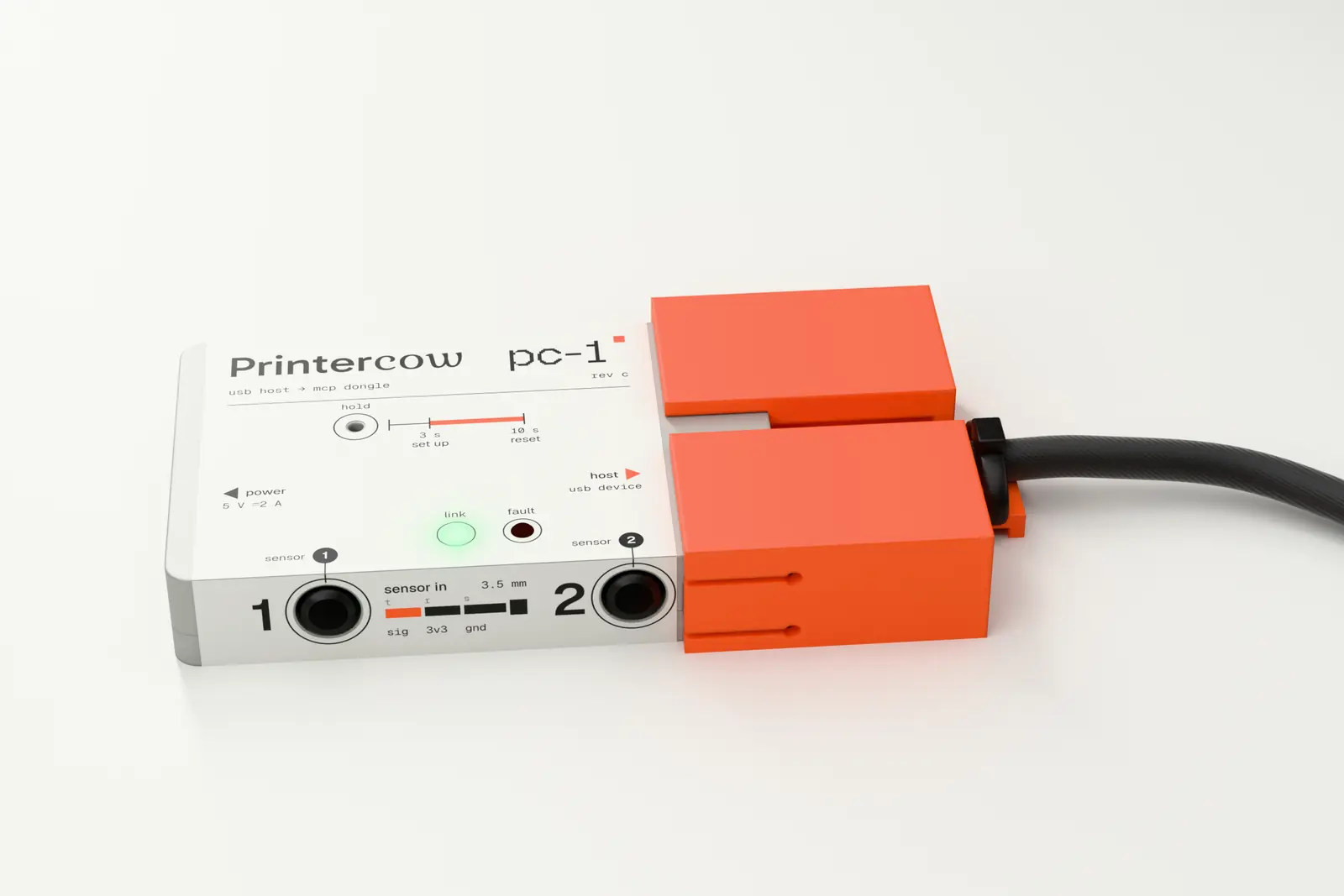
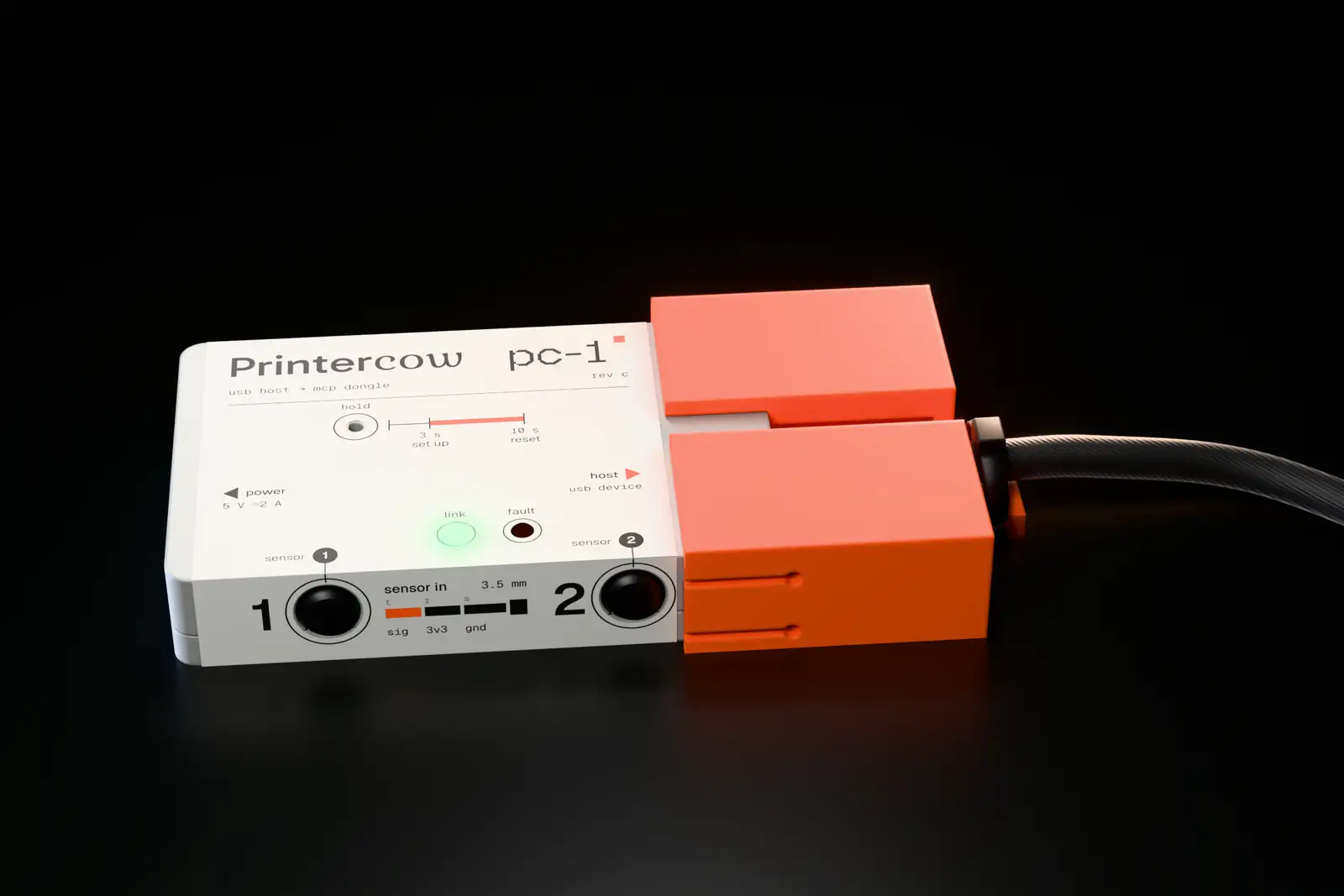
A USB host the size of a matchbox.
To the printer, the dongle is a computer on the other end of the cable. To you, it is one more thing on the Wi-Fi. Two sensor slots let an action check what happened outside the cable, such as paper leaving the printer.
- POWER
- USB-C, any 2 A phone charger
- DEVICE PORT
- USB host, full speed (12 Mbit/s), up to 1 A for the device
- TIPS
- Cable, USB-A and USB-B tips that lock onto the dongle
- SENSORS
- Two 3.5 mm sensor slots for a switch, a light sensor or a paper sensor
- RADIO
- 2.4 GHz Wi-Fi, Bluetooth for setup
- CHIP
- ESP32-S3
- SIZE
- 57.2 × 37.6 × 10.2 mm
The first Rev C dongles are built and tested on real printers. They are not for sale yet; until they are, build one from a XIAO ESP32-S3: the same firmware, flashed from your browser.
Where it stands.
- Works today
- Setup over Bluetooth, online status, USB plug-in events, signed firmware updates, webhooks, the MCP server, recipe review and a shared recipe library, REST actions, label templates, receipts drawn on the server with no recipe, and print jobs that wait their turn and never print twice.
- Tested on real printers
- An 80 mm ESC/POS receipt printer and a TSPL label printer print from Claude and ChatGPT and over REST. Raw USB, recipes and sensor checks also pass end to end against a simulated ESC/POS printer.
- Hardware
- The first Rev C dongles are built and tested on real printers, and not for sale yet. You can build one from a XIAO ESP32-S3 board with the same firmware, which you flash from your browser.
- Planned
- Triggers that run recipes on plug-in or on a timer, and printing while the internet is down.
Printercow FAQ
What is Printercow?
Printercow is a Wi-Fi dongle with a USB host port that connects a USB device, such as a receipt printer, label printer or scale, to AI assistants over the Model Context Protocol (MCP). An AI such as Claude works out how to drive the device once and saves what works as named actions. After you approve them, those actions run as MCP tools and REST API endpoints, with no AI needed. Printercow is in public beta: so far it is tested end to end against a simulated ESC/POS printer.
How do I connect a USB receipt printer to Claude?
Plug the dongle into the printer, open the setup page in Chrome or Edge on Android, Windows or Mac to put the dongle on Wi-Fi over Bluetooth, then add the MCP URL from the Connect page to Claude Code (claude mcp add --transport http printercow <url>) or to claude.ai as a custom connector, and sign in. Ask Claude to print. It reads the printer's USB descriptors and the ESC/POS guide, sends the commands, and checks the printer's status.
Which USB devices work?
Printercow targets full-speed USB devices (12 Mbit/s) such as receipt and label printers, scales, barcode scanners and USB serial adapters. ESC/POS receipt printers come first: they have a ready-made guide for the AI, and they are the only class tested so far, on a simulated printer. One device per dongle, no USB hubs. Webcams, audio devices and storage are out of scope. The dashboard shows what the dongle detects as soon as you plug a device in.
Does every print need the AI?
No. The AI is only needed the first time, to work out the commands. Once you approve its recipe (the named actions it found, each with a check), each action, such as print, is an MCP tool and a REST endpoint (POST /api/v1/devices/{dongleId}/actions/print). Your code calls it directly. Every other dongle in your workspace with the same USB ID (vendor and product) uses the same recipe, without the AI.
How do I know it actually printed?
Every action ends with a check, and the result says passed, failed or unverifiable. A check reads the device's status reply, or a sensor plugged into one of the dongle's two sensor slots, such as an optical sensor at the paper exit. A sensor confirms that paper came out, not what is printed on it.
What can an AI do with my dongles, and how do I stop it?
An AI app reaches only the dongles in your workspace, and only after you approve it on a consent screen. Until a recipe exists, it can send raw USB commands to the plugged-in device; that is how it learns. Firmware-update interfaces and vendor-specific requests are blocked until the dongle's owner allows them. Each dongle accepts at most 60 USB commands a minute, and every transfer is logged on the dongle's page. You can disconnect an app in one click. Tokens are stored hashed.
Can I print from Claude without a computer next to the printer?
Yes. The dongle is the USB host, the role a computer usually plays, and connects to the internet over 2.4 GHz Wi-Fi. It needs power from a USB-C charger and nothing else. No driver or app is installed anywhere.
Is it a print server or USB over IP?
No. Printercow does not add a printer to Windows or macOS, and it does not tunnel USB to your computer. It turns the device into named actions that your AI and your code call over MCP and HTTPS.
Can I buy a Printercow dongle?
Not yet. The first Rev C dongles are built and tested on real printers, and not for sale yet. Until they are, you can build one: flash the Printercow firmware onto a Seeed XIAO ESP32-S3 from Chrome or Edge, add a powered USB-C OTG adapter for the device, and set it up like any dongle. The XIAO has no current limit or ESD protection; the Build your own guide on the Printercow site lists the parts and limits. You can create a workspace and connect your AI now; it sees a dongle as soon as you add one.
Does it work offline?
No. Recipes live in the Printercow cloud, and every action goes from there to the dongle, which runs the USB steps it is sent. Without internet, nothing runs.